Next Event: Loading...
w/ ---
00: 00: 00: 00 Get Started
Calendar
View upcoming events and classes
My Portal
My Residency
Information Panel
Beat Kitchen at-a-glance

Most synths start with a waveform and carve it down. This one starts with the secret chord that lives inside every note.

BK Harmonic
Fully featured. Free in your browser. Play it now

BK Harmonic is an additive synthesizer that builds sound from individual overtones — then gives you tools no other synth has to shape, scan, and filter them based on musical harmony.

Get it while it’s early

This is not a finished product. It’s a beta — we’re building it in the open and pricing it accordingly. The price goes up every day. When it reaches version 1.0, it will be a finished product and we’ll support it like one.

Until then, you get every update, every new feature, every fix — from now through the full release. Your purchase price is locked in the day you buy.

Early adopter heads-up: If you’re purchasing within the first two weeks, there may be some snags while we figure out how to get everyone installed properly. Bear with us — we’ll get you up and running.

Beat Kitchen School residents get the plugin included for the duration of their residency — no separate purchase needed. Open the plugin and enter your Discord username to activate.

Downloads

↓ macOS Installer v0.3.5 (AU + VST3 + Standalone)

First launch: Right-click the downloaded .pkg and choose Open, then click Open again. macOS requires this for new developers. After installing, your DAW will find the plugin automatically.

Individual formats (advanced)

↓ AU for macOS ↓ VST3 for macOS ↓ Standalone for macOS

Use the installer above unless you know where plugin files go. Individual downloads also require right-click → Open.

↓ VST3 for Windows

Windows build is untested — please report issues on Discord.

v0.3.5 · Release notes →

What's new in v0.2.0
  • Clamp + Scan range dual-thumb sliders
  • Phase toggle row in Sculpt
  • Scale matching with scores
  • Harmonic gate capture mode
  • Scanner click eliminated
  • Output reorganized (Drive, Pan, Width, Output)
  • Brighter scope, green scale indicators, 24 partials in list

Coming next: Scope waveform normalization, morph mod destination, Apple code signing


What makes it different

Fold crossfade — The partials display shows every overtone in your sound. Sweep the fold slider to crossfade between harmonic layers — upper partials fold below the fundamental, redistributing the energy. Not a filter. Not a waveshaper. Fold instead of filter.

Partials display with fold slider and advanced partial controls showing 82 partials

Overtone scanner — An arpeggiator for harmonics. Steps through individual partials with triangle, saw, or random patterns. Lock it to a scale and it only visits partials that belong.

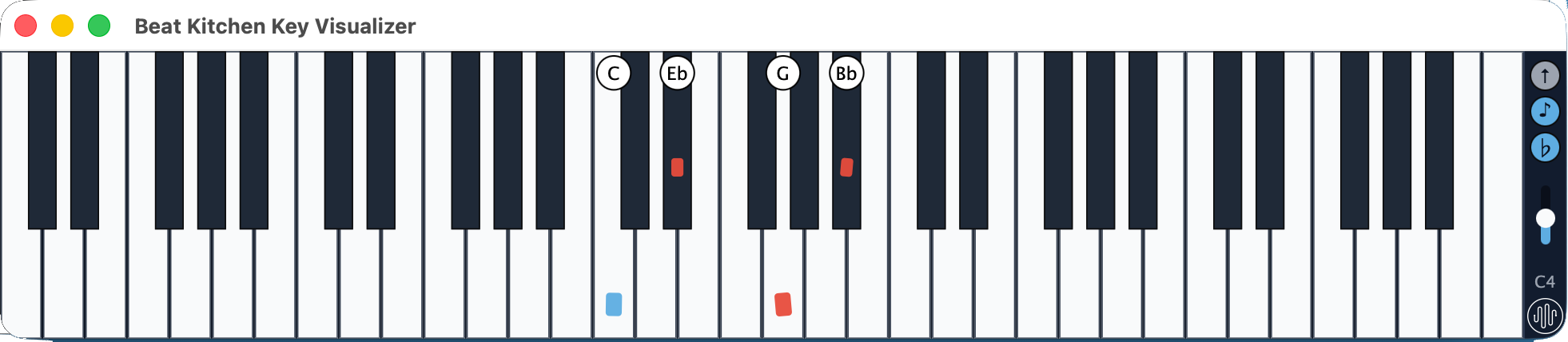
Harmonic gate — Reinforces partials whose pitch class matches your chord. Suppress the rest. The timbre follows the harmony. Capture a chord, follow incoming MIDI, or split the keyboard so your left hand controls the gate.

Harmonic gate — pitch class buttons highlighting D, Eb, and G with Focus and Tolerance sliders, Capture, Follow, and Split modes

51 scales — From major and minor to maqam, raga, and Messiaen modes. The scanner and harmonic gate are scale-aware.

Sculpt — Draw the amplitude of each partial by hand. Morph between saw, square, triangle, and pulse waveshapes or paint your own.

Sculpt section — per-partial amplitude bars with Morph slider sweeping between saw, square, triangle, and pulse

Tuning — Stretch the octave wider or compress it. Slide between just intonation and equal temperament. Stack unison voices from subtle to thick.

Tuning section — Stretch slider from compress to stretch, Temperament slider from just to equal, Unison slider from off to thick BK Harmonic Synthesizer — scale detection view

Mod matrix — 6 sources (LFO 1, LFO 2, Env 1, Env 2, Velocity, Mod Wheel) x 26 destinations.


Formats

Platform Format Status
macOS AU (Logic, GarageBand) Beta
macOS VST3 (Ableton, Bitwig, Reaper) Beta
macOS Standalone Beta
Windows VST3 Coming soon

macOS 11+ (Apple Silicon + Intel)


Installation

macOS AU: Unzip and move BK Harmonic.component to ~/Library/Audio/Plug-Ins/Components/

macOS VST3: Unzip and move BK Harmonic.vst3 to ~/Library/Audio/Plug-Ins/VST3/

Windows VST3: Unzip and move BK Harmonic.vst3 to C:\Program Files\Common Files\VST3\

Restart your DAW. The plugin appears as “BK Harmonic” under the Synth/Instrument category.

The plugin is code-signed and notarized with Apple Developer ID. No Terminal commands or special permissions needed — just install and go.


Activation

Purchased a license:

  1. Open the plugin in your DAW
  2. Paste the license key from your email
  3. Done — works offline after activation

Beat Kitchen residents:

  1. Open the plugin in your DAW
  2. Enter your Discord username
  3. Check Discord for a verification code in #bk-harmonic-support
  4. Enter the code in the plugin — activated

Support

Got a question, found a bug, or need help installing? Head to the #plugin-support channel on Discord.


Beat Kitchen residents

The plugin is included at no extra cost for the duration of your residency. Your resident license key is in Discord.

Learn about residency →

Resources

Beat Kitchen At-A-Glance

Our Socials