BKS Harmonic is an additive synthesizer that builds sound from individual overtones — then gives you tools no other synth has to shape, scan, and filter them based on musical harmony.
Get the plugin
$79
Beat Kitchen School residents get the plugin included for the duration of their residency — no separate purchase needed. Open the plugin and enter your Discord username to activate.
Downloads
↓ macOS Installer v1.7.2 (AU + VST3 + AAX + Standalone)
Install: Double-click the downloaded .pkg and follow the installer. After installing, your DAW will find the plugin automatically.
↓ iOS App — get it on the App Store
iOS: a standalone app for iPhone & iPad. The App Store app and the desktop plugin are separate purchases — neither includes the other.
Individual formats (advanced)
↓ AU for macOS ↓ VST3 for macOS ↓ Standalone for macOS
Use the installer above unless you know where plugin files go.
Unsigned build — Windows SmartScreen may warn on first launch; click More info → Run anyway.
v1.7.2 · Release notes →
What's new in v1.7.2
Harmonic can now measure a real instrument and play in its tuning.
- The Stretch display. A new view in the scope draws one note’s overtones against the keys they land near, on a shared frequency axis. Each tooth’s length is how far that partial sits from its pure harmonic. Drag either comb by its handle to bend it, or use the detents for an upright, a grand, a concert grand, or a loaded sample’s own measured stiffness.
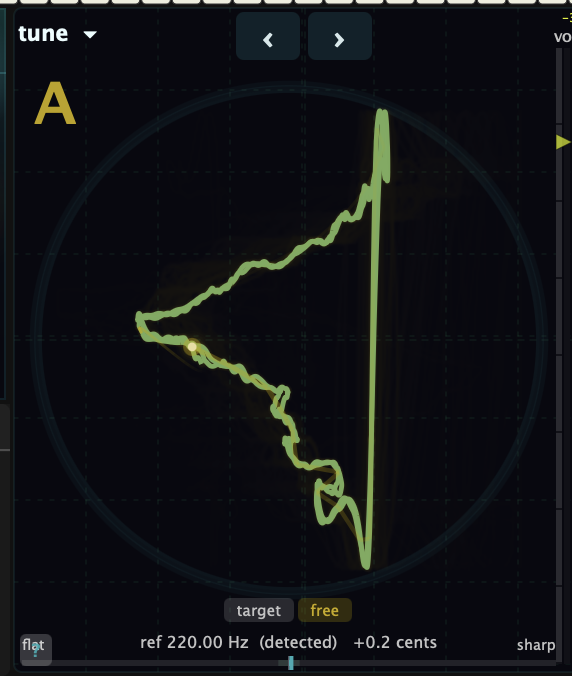
- Listen. Play a real instrument at it and Harmonic reports the pitch, every partial’s departure in cents, and B — the number piano technicians use for how stiff a string is. Press A or B to keep that reading, and the synth plays in your instrument’s tuning.
- Converge 2. A second law, on the Converge label. Going up it gathers the whole series onto the highest audible partial rather than spreading it without limit, so the spacing stays even.
- Also: a Keyed exciter that gives every voice its own carrier at that voice’s pitch, undo and redo, an FX button that applies the resonant-reverb recipe in one press and restores it on the second, and a Tuner that holds through the attack of a bass note.
Plus: cleaner sample playback — no burst at the end of a read, no clicks while scrubbing.
What makes it different
Fold crossfade — The partials display shows every overtone in your sound. Sweep the fold slider to crossfade between harmonic layers — upper partials fold below the fundamental, redistributing the energy. Not a filter. Not a waveshaper. Fold instead of filter.
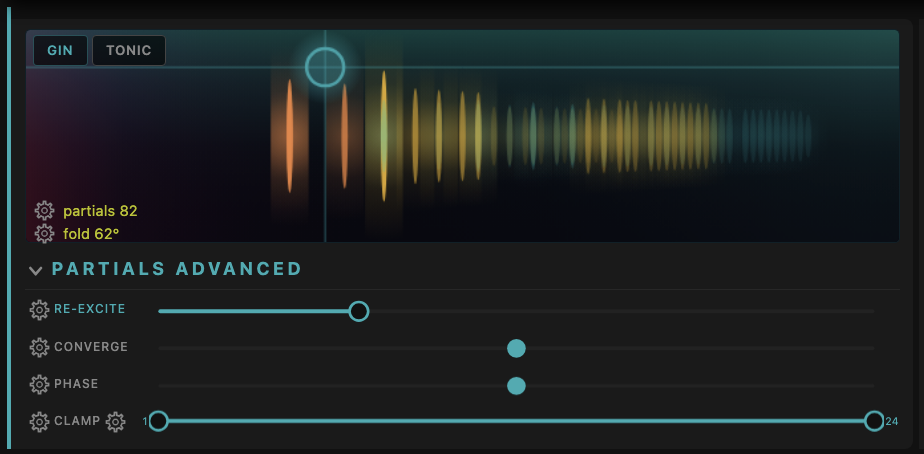
Overtone scanner — An arpeggiator for harmonics. Steps through individual partials with triangle, saw, or random patterns. Lock it to a scale and it only visits partials that belong.
Harmonic gate — Reinforces partials whose pitch class matches your chord. Suppress the rest. The timbre follows the harmony. Capture a chord, follow incoming MIDI, or split the keyboard so your left hand controls the gate.
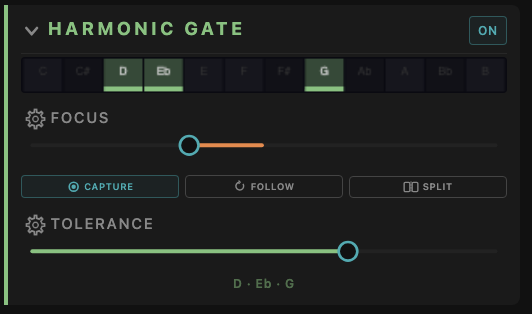
51 scales — From major and minor to maqam, raga, and Messiaen modes. The scanner and harmonic gate are scale-aware.
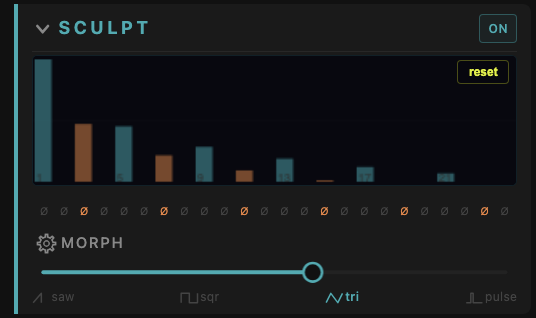
Sculpt — Draw the amplitude of each partial by hand. Morph between saw, square, triangle, and pulse waveshapes or paint your own.
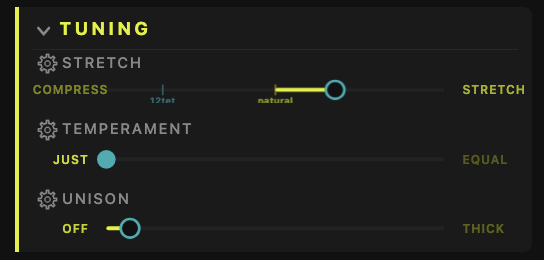
Tuning — Stretch the octave wider or compress it. Slide between just intonation and equal temperament. Stack unison voices from subtle to thick. (See just vs. equal drawn as Lissajous figures on the XY Scope →)
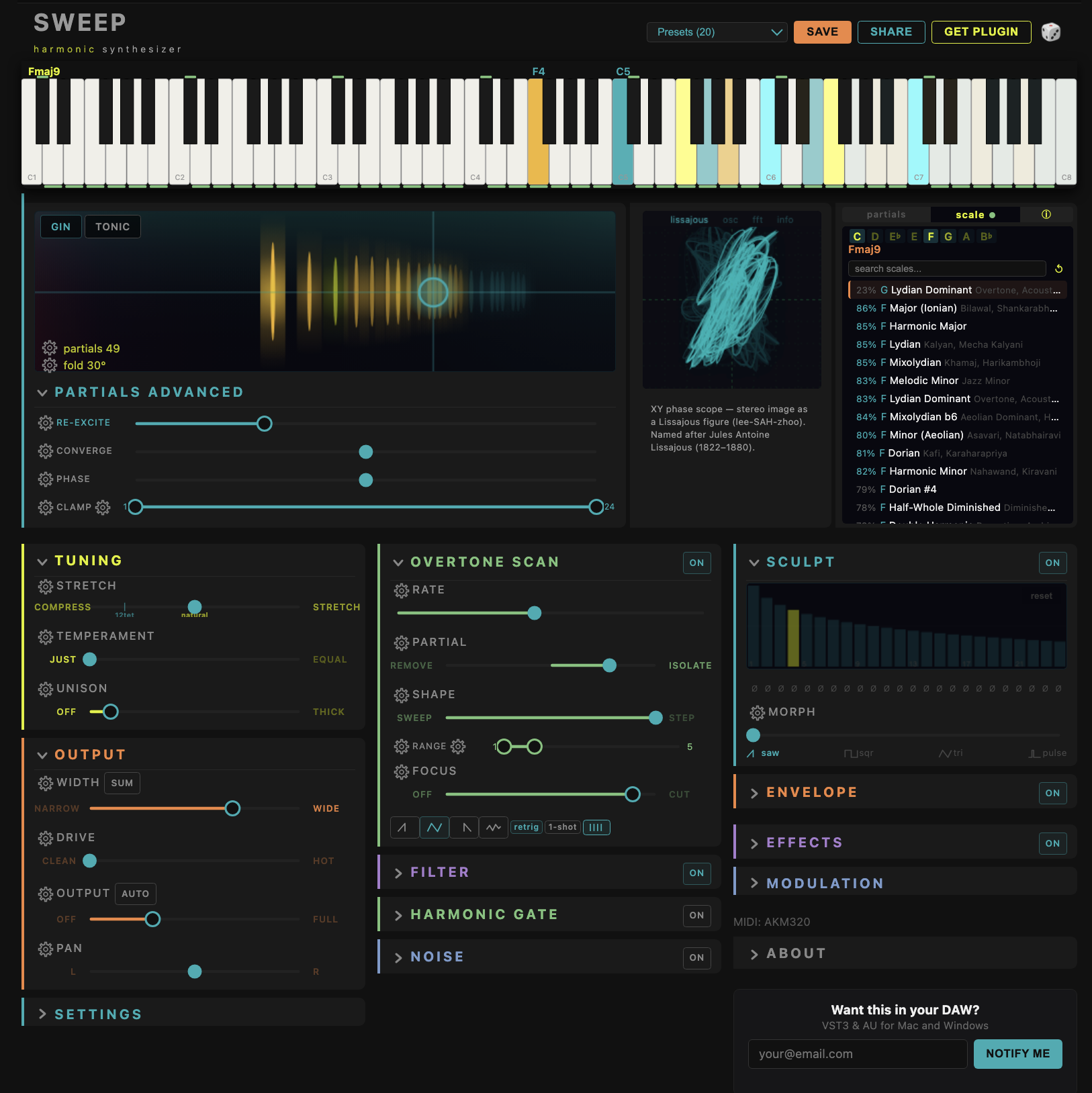
Mod matrix — 6 sources (LFO 1, LFO 2, Env 1, Env 2, Velocity, Mod Wheel) x 26 destinations.
Tuning mode
A stable Lissajous figure can indicate correct tuning with astonishing precision. Use this to tune against partials or even match stretch tuning on a piano. (Why can’t you use a guitar tuner on a piano?)
Formats
| Platform | Format | Status |
|---|---|---|
| macOS | AU (Logic, GarageBand) | Available |
| macOS | VST3 (Ableton, Bitwig, Reaper) | Available |
| macOS | Standalone | Available |
| Windows | VST3 | Available |
macOS 11+ (Apple Silicon + Intel)
Installation
macOS AU: Unzip and move BKS Harmonic.component to ~/Library/Audio/Plug-Ins/Components/
macOS VST3: Unzip and move BKS Harmonic.vst3 to ~/Library/Audio/Plug-Ins/VST3/
Windows VST3: Unzip and move BKS Harmonic.vst3 to C:\Program Files\Common Files\VST3\
Restart your DAW. The plugin appears as “BKS Harmonic” under the Synth/Instrument category.
The plugin is code-signed and notarized with Apple Developer ID. No Terminal commands or special permissions needed — just install and go.
Activation
Purchased a license:
- Open the plugin in your DAW
- Paste the license key from your email
- Done — works offline after activation
Beat Kitchen residents:
- Open the plugin in your DAW
- Enter your Discord username
- Check Discord for a verification code in #bk-harmonic-support
- Enter the code in the plugin — activated
Support
Got a question, found a bug, or need help installing? Head to the #plugin-support channel on Discord.
By purchasing or installing, you agree to the license agreement.