Seeing Sound — the Scope
Half of learning this synth is watching it. The display across the top isn’t decoration — it’s the fastest way to connect a control you’re moving to the sound that comes out. Tap anywhere in the scope area to cycle the view, or click a mode by name. There are six.
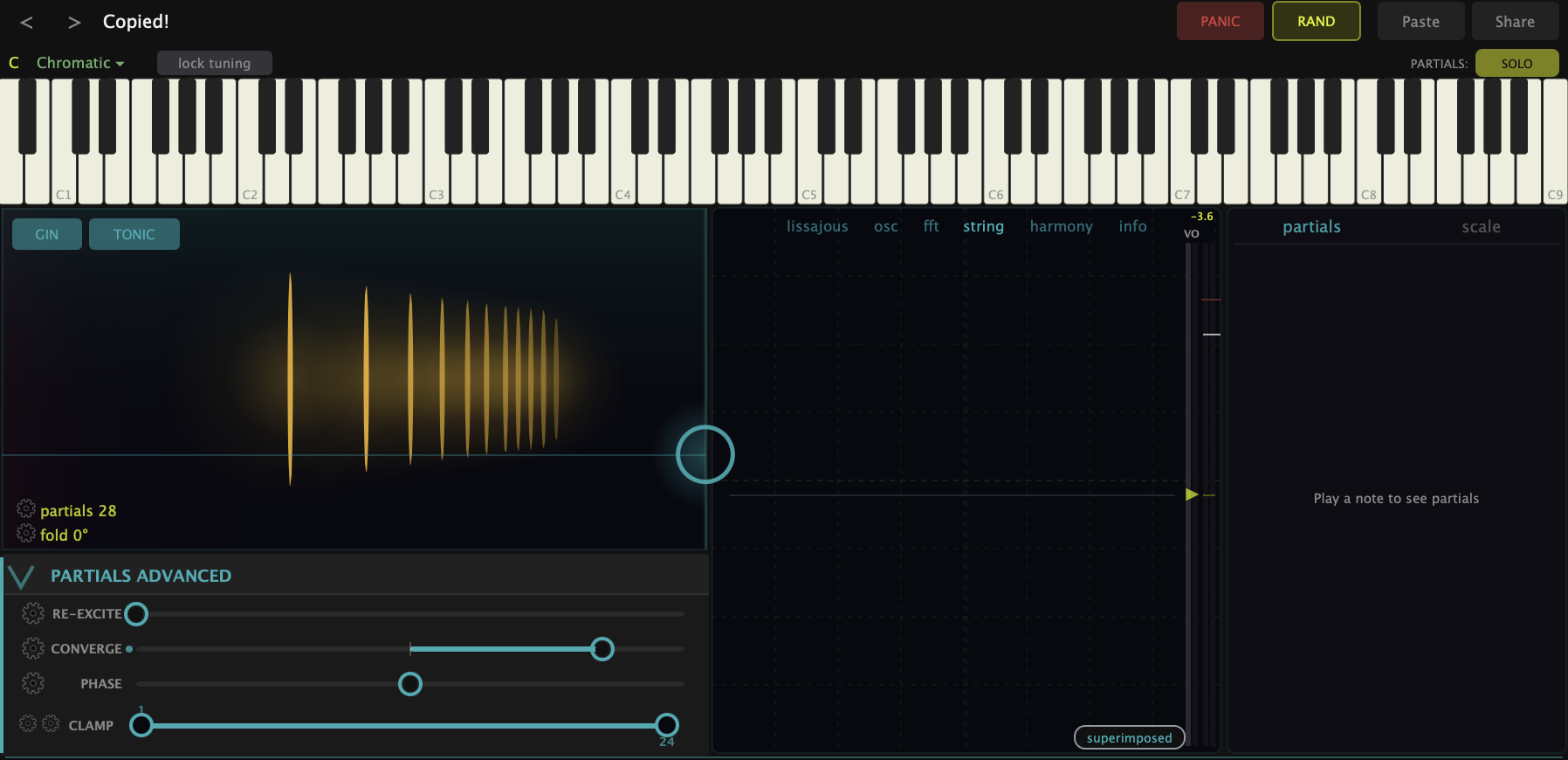
- osc — the oscilloscope: the waveform over time, the slanted ramp or rounded curve you’d see on a scope in a lab. This is the one to watch while you drag the partials matrix — you’ll see a sine round out into a sawtooth as the harmonics open.
- fft — the frequency spectrum: the same sound read as a row of peaks, one per partial, with height showing loudness. If the oscilloscope shows you the shape, the FFT shows you the ingredients. When you boost or cut a harmonic, you’ll see that peak move here.
- string — a stacked vibrating-string view: each harmonic drawn as a string vibrating at its own rate, the way the overtones actually sit on a real string. Toggle between the stacked view and a single line. This is the most intuitive picture of why a sound is made of partials.
- lissajous — an X-Y plot of the waveform that draws geometric shapes. Less a measurement tool than a beautiful one — useful for seeing stereo width and phase at a glance.
- harmony — the chord and Harmony Wheel readout: it tracks the notes you’re holding (from MIDI or the on-screen keyboard), names the chord, and shows the tuning. A music-theory window into what you’re playing.
- info — the plain-text breakdown: the chord name plus a per-partial pitch readout (fundamental first, then each overtone and the note it lands on). When you want the exact pitches, this is the view.
Use it to learn, not just to look
The scope pays off most when you pair it with a control. Drag the matrix on osc and watch the waveform build. Switch to fft and sweep the Fold — you’ll see harmonics fold down into lower octaves rather than simply fading. Hold a chord on harmony and you’ve got a live theory readout of what the synth thinks you’re playing, which the scale-aware features lean on.
What to Practice
- Hold a note and cycle all six views. Notice how the same sound looks completely different in each.
- Put the scope on osc, then drag the partials matrix up and down. Watch the sine become a sawtooth.
- Switch to fft and pull a single partial in Solo mode. Watch its peak disappear and come back.
Search This Guide
This Course
- 1. What the Harmonic Synth Is
- 2. The Partials Matrix
- 3. Fold, Gin, and Tonic
- 4. Seeing Sound — the Scope
- 5. Partials Advanced
- 6. Sculpt — Shaping the Spectrum
- 7. The Overtone Scan
- 8. The Harmonic Envelope
- 9. The Harmonic Gate
- 10. Tuning — Stretch, Temperament, and Unison
- 11. Source 2 — the Second Layer
- 12. The Filter
- 13. The Envelope
- 14. Modulation — Making It Move
- 15. Output
- 16. Effects
- 17. Presets, Settings, and the Top Bar
- 18. Audio In and Resynthesis
When you're ready to take the next step, it starts with a place where you can ask questions. We teach live — small group, cameras optional, taught by someone who gives a shit.
Find Out How You Can Join Us →© 2026 Beat Kitchen School — beatkitchen.io. All rights reserved. Unauthorized reproduction or distribution of this material is prohibited.